
User Tools
wiki:how_to_use_this_wiki
This is an old revision of the document!
Table of Contents
How to use this Wiki
This page aims to provide a brief overview of how to create pages and populate them with content.
Creating pages
To create a page, you must first have permissions to do so within the namespace that you have chosen.
There are two ways to create a new page in a space:
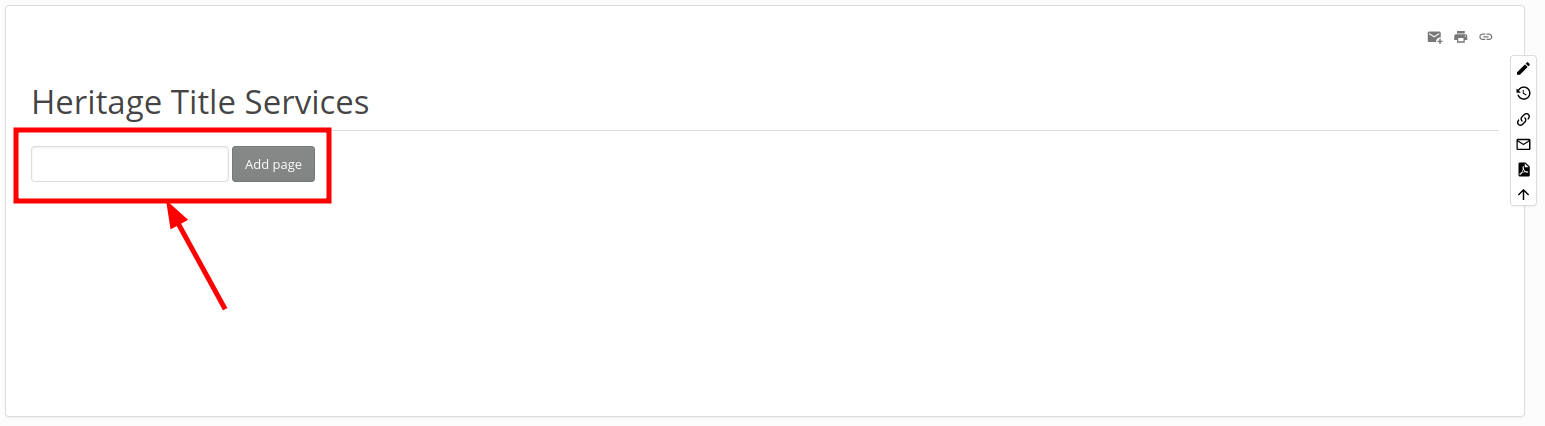
- By using the “Add Page” box if one is available in the desired parent page:
- By navigating to the nonexistant page and clicking the +pencil icon

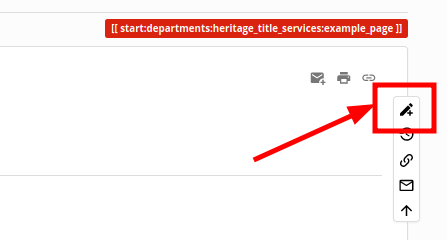


Once you have created the page you will be brought to the editor window:

If you save at this point, you will see that your page now has an entry in its parent page that corresponds with the header title:

wiki/how_to_use_this_wiki.1690921520.txt.gz · Last modified: by swadminuser


