
User Tools
This is an old revision of the document!
Table of Contents
How to use this Wiki
This page aims to provide a brief overview of how to create pages and populate them with content.
Creating pages
To create a page, you must first have permissions to do so within the namespace that you have chosen.
There are two ways to create a new page in a space:
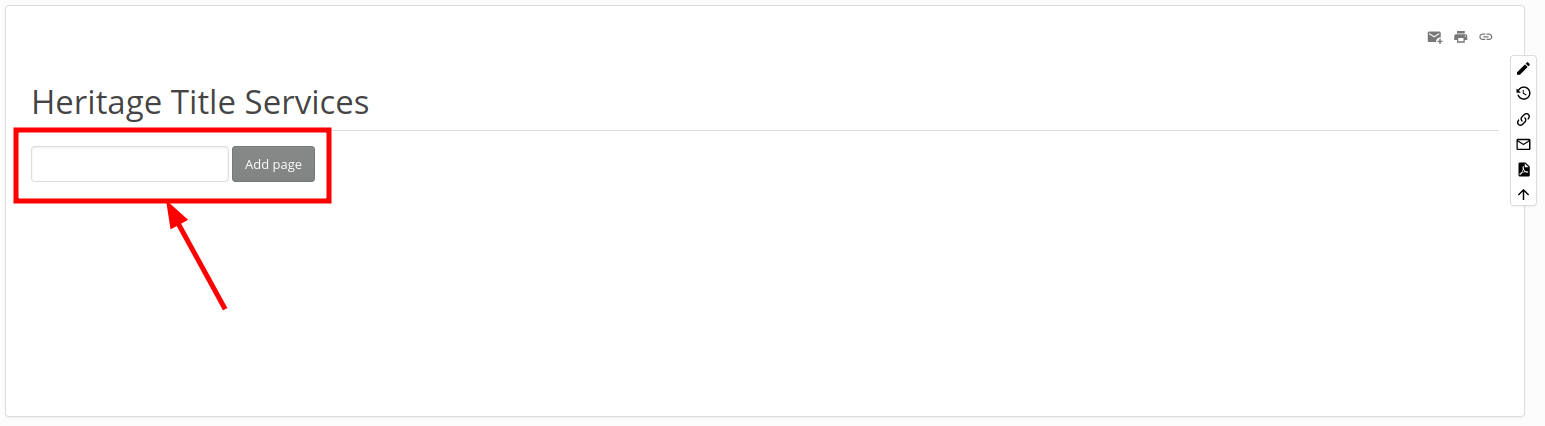
- By using the “Add Page” box if one is available in the desired parent page:
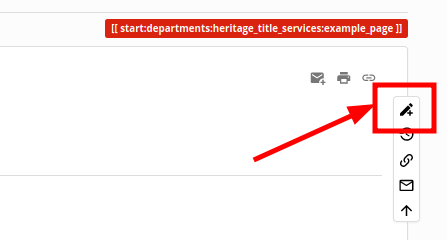
- By navigating to the nonexistant page and clicking the +pencil icon



Once you have created the page you will be brought to the editor window:

If you save at this point, you will see that your page now has an entry in its parent page that corresponds with the header title:

Creating Top-Level Pages
Adding the child-page Index
If the page you have created is meant to be an index of child pages first edit your page and enter the following:
{{simplenavi>enter snippet here}}
Then go to the navigation bar while editing the page and select everything from “start” to the question mark:

Paste your copied snippet over the portion of the code you added to your page so it looks like this:
{{simplenavi>start:departments:heritage_title_services:example_page}}
Now any pages you make as a child of this page will automatically create an entry on this page. To add the “Add Page” dialogue, see below:
Adding the "Add Page" box to a page
To add the “Add Page” box to a page, add the following after any content you already have in the page:
{{NEWPAGE>@PAGE@}}
It may be advantageous to add a horizontal line above to separate the two elements.

Top-level pages Summary
When finished with your parent page, it should contain something akin to the following:
{{simplenavi>start:departments:infrastructure_and_information_systems}}
{{NEWPAGE>@PAGE@}}


